Navigate the recording
Click timed words to seek, adjust playback speed and loop a paragraph while reviewing it.
Edit transcripts with audio and video playback, speaker names, highlights, notes and timestamps. Find and replace text, save changes and export your reviewed work.
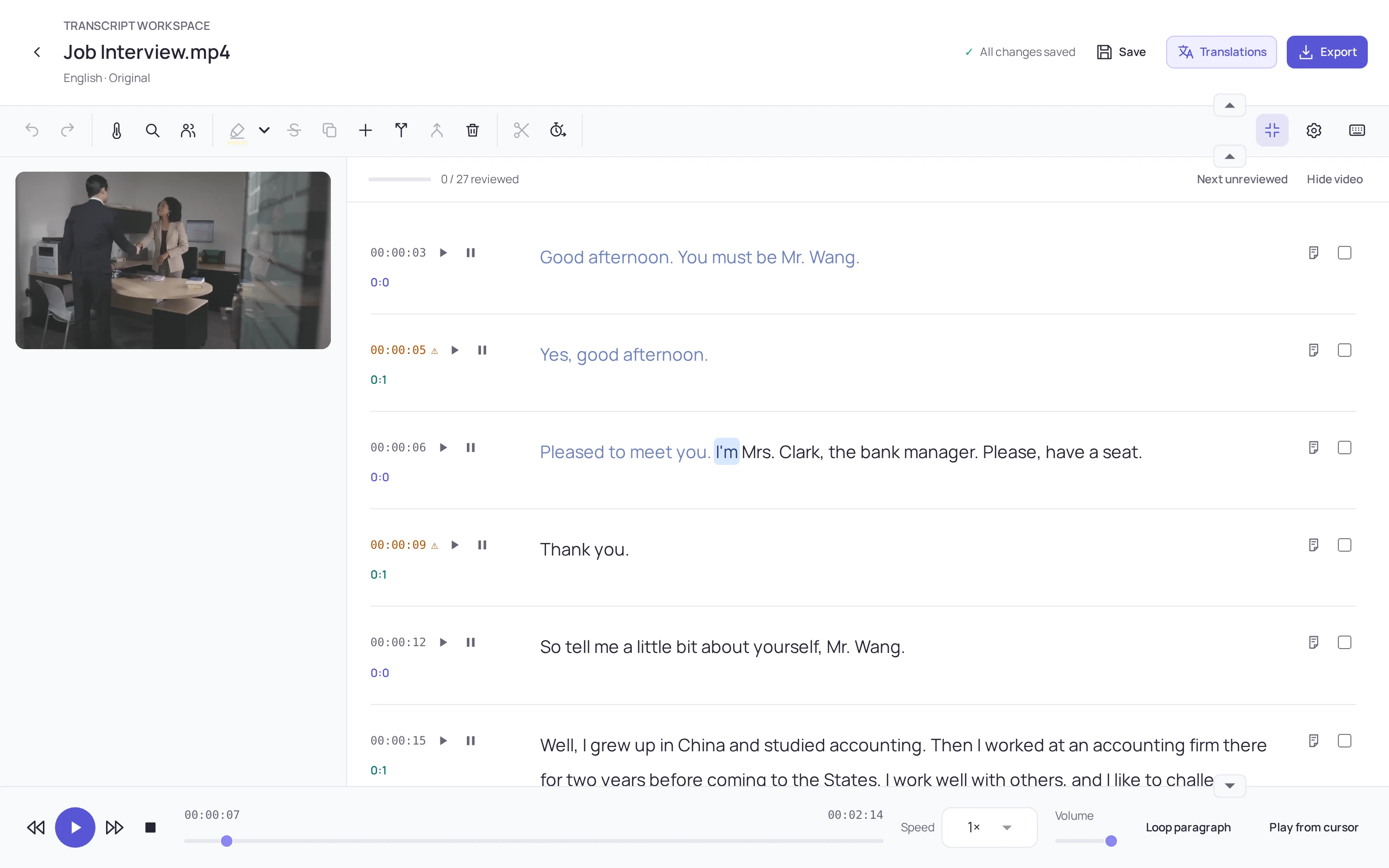
Click timed words to seek, adjust playback speed and loop a paragraph while reviewing it.
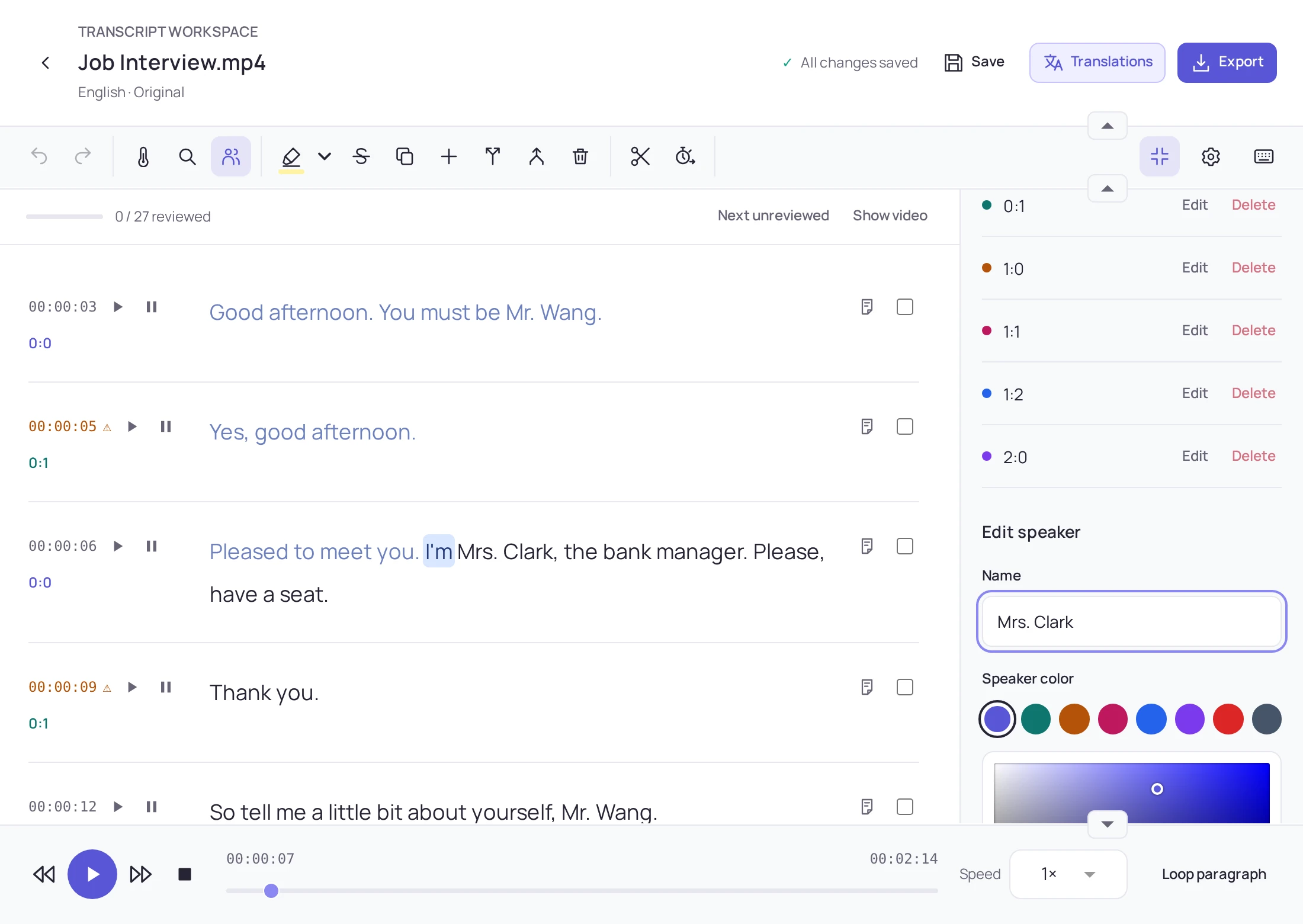
Change text and speaker names, split paragraphs, highlight passages, strike text and add paragraph notes.
Use autosave or manual saving, with local recovery and editing shortcuts to support longer review sessions.
Change text and speaker names, split paragraphs, highlight passages, strike text and add paragraph notes.
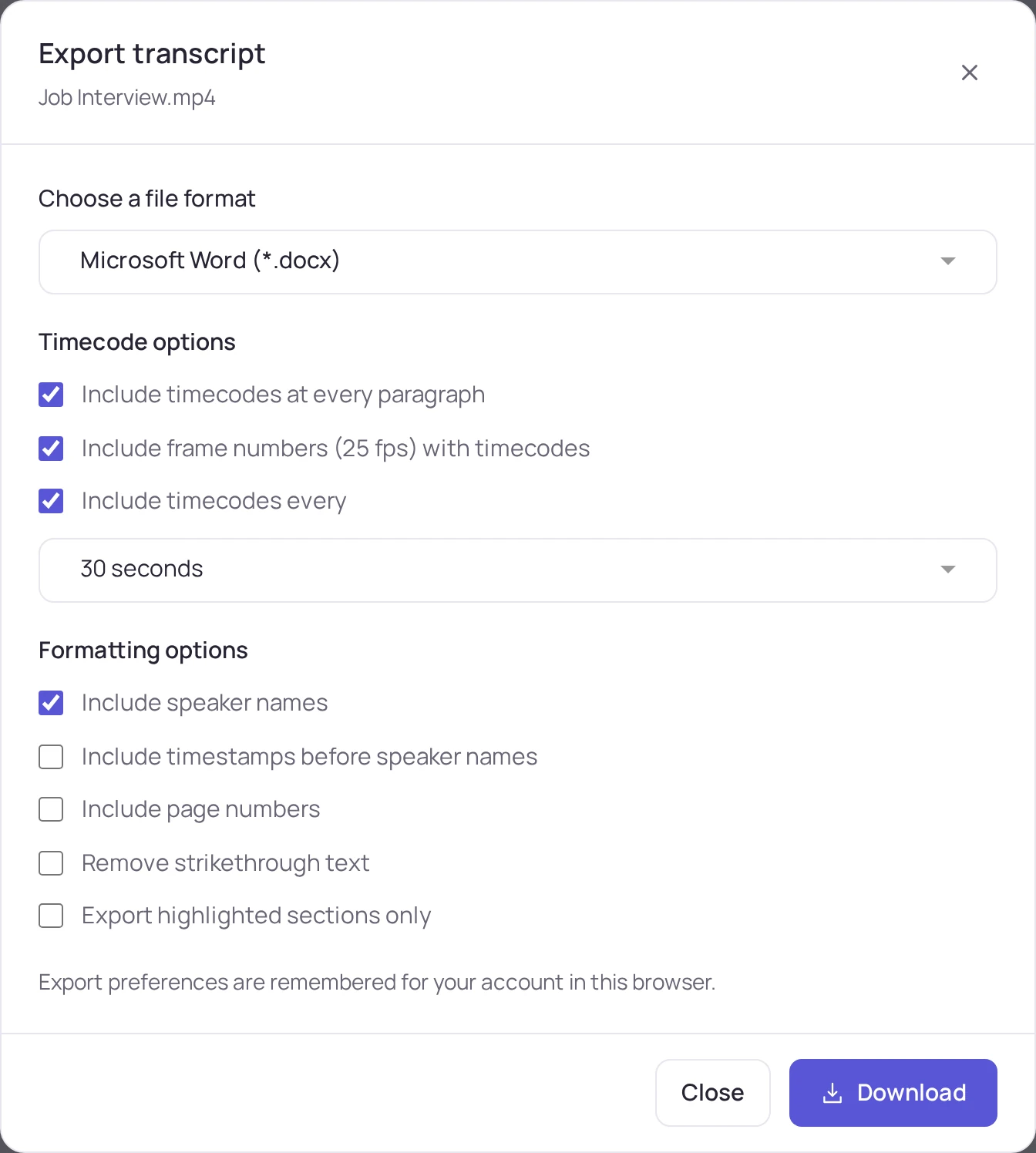
Save your reviewed version, then choose an export or create a clip from selected text.
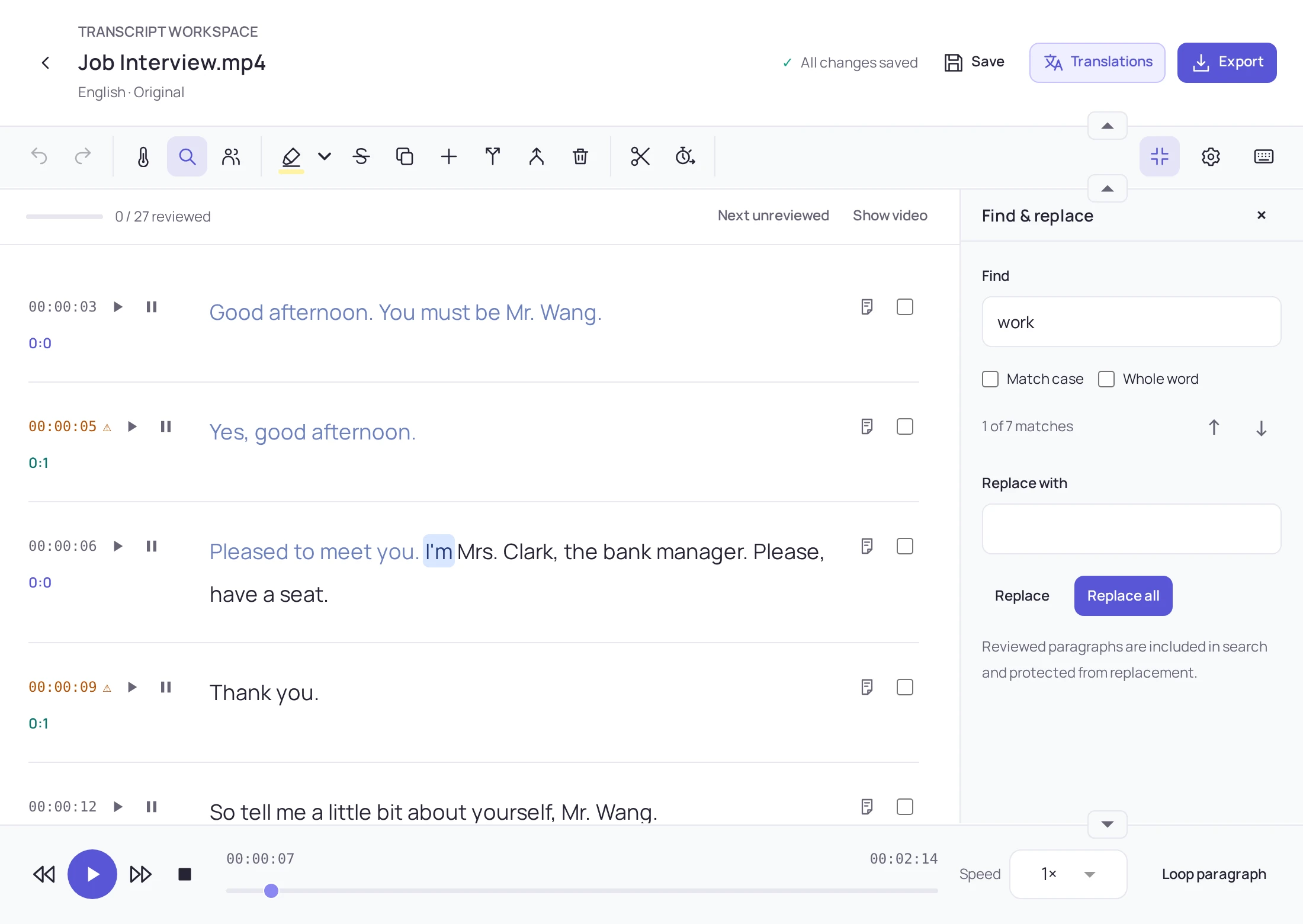
Use the editor for original transcripts and translated versions. Review uncertain words, correct specialist terms with find and replace and mark completed paragraphs. Word confidence and precise timing are shown where supplied by the transcription model.
Explore all questionsLoad an original transcript or an editable translation.
Move between text and playback, correct the wording and add notes.
Save your reviewed version, then choose an export or create a clip from selected text.
Yes. The editor supports speaker names and paragraph speaker assignment.
New or replaced text does not automatically receive precise word timestamps. Review timing warnings before using timed exports.
The export options include highlighted-only content where applicable, along with options for timecodes, speaker names and struck text.
Choose a service in the application or browse every feature and workflow.